


Introduction
Living with diabetes is not just about managing sugar levels it’s about learning how your body responds every single day. For many people, the diagnosis brings confusion, fear, and a sense of being overwhelmed. Numbers suddenly matter. Meals feel complicated. And medical devices that once seemed distant become part of daily life.
One of the most important tools in this journey is a home glucometer. When used regularly and correctly, it transforms diabetes care from something reactive into something proactive. Instead of guessing, you begin to understand. Instead of worrying, you gain clarity.
Why Regular Blood Sugar Monitoring Is So Important
Blood sugar levels are constantly changing. What you eat, how much you move, how well you sleep, your stress levels, and even weather changes can affect glucose readings. Without regular monitoring, these fluctuations stay hidden until symptoms appear.
Checking blood sugar at home helps you recognize patterns rather than isolated numbers. Over time, you begin to notice how certain foods raise your sugar faster, how exercise improves readings, or how illness temporarily disrupts control. This awareness plays a critical role in preventing complications like nerve damage, kidney issues, vision problems, and heart disease.
More importantly, monitoring gives peace of mind. Knowing your numbers helps reduce anxiety and allows you to make informed decisions throughout the day.
Understanding Home Glucometers in Simple Terms
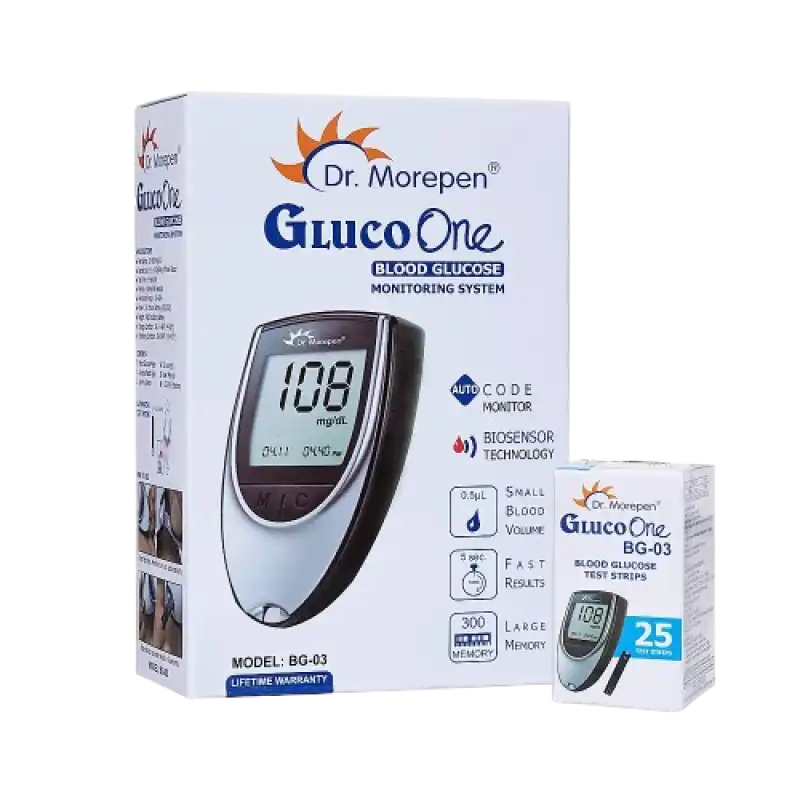
A glucometer is designed to be used by anyone, not just healthcare professionals. It works by analyzing a tiny drop of blood placed on a disposable test strip. Within seconds, the device displays your blood glucose level.
Modern glucometers are compact, quick, and easy to operate. They don’t require technical knowledge, complicated calibration, or special environments. With minimal practice, most users become comfortable using them within a few days.
The key is consistency—using the same device, at similar times each day, under similar conditions, to get reliable trends.
Getting Comfortable With the Testing Process
Many people worry about pain or complexity when starting blood sugar testing. In reality, the finger prick causes only mild discomfort, especially when done correctly. Using the side of the fingertip, adjusting lancet depth properly, and rotating fingers all help minimize pain.
Clean, dry hands are essential for accurate readings. Moisture, food residue, or lotions can interfere with results. When applying blood to the strip, allow it to absorb naturally rather than pressing or smearing.
Within seconds, the reading appears—clear, direct, and informative. Recording these values, either manually or digitally, builds a valuable health record over time.
When and How Often Should You Check Blood Sugar?
Testing frequency varies depending on whether diabetes is newly diagnosed, controlled through diet, managed with medication, or insulin-dependent. Many people test their blood sugar early in the morning before eating, after meals to understand food impact, and at night before sleep.
Some also test during symptoms such as fatigue, dizziness, sweating, or blurred vision. These readings provide real-time feedback and help prevent sudden highs or lows.
Your doctor may adjust testing frequency based on your health status, but regular monitoring always leads to better awareness and control.
Daily Habits That Improve Accuracy and Confidence
Blood sugar monitoring works best when it becomes part of a routine. Testing at consistent times, storing strips in a dry place, and checking expiry dates all improve accuracy.
It’s also important not to panic over one unusual reading. Stress, illness, or lack of sleep can temporarily affect results. What matters is the overall pattern across days and weeks.
Combining monitoring with healthy eating, physical activity, hydration, and proper medication timing creates a balanced approach to diabetes management.
Emotional Side of Monitoring: More Than Just Numbers
For many people, the emotional side of diabetes is harder than the physical. Fear of high readings, guilt after indulgent meals, or frustration with fluctuating numbers is common. But monitoring should never feel like punishment—it’s feedback, not judgment.
Each reading is information, nothing more. Over time, people who monitor regularly often feel empowered rather than restricted. Knowledge replaces fear, and control replaces confusion.
Building Long-Term Confidence With Self-Care
Managing diabetes successfully isn’t about perfection. It’s about awareness, consistency, and self-compassion. A glucometer helps bridge the gap between medical advice and real life, allowing you to see how your body responds rather than relying on assumptions.
With practice, monitoring becomes quick, routine, and reassuring—just another part of caring for yourself or a loved one.
Conclusion
Blood sugar monitoring is a simple habit with powerful impact, helping people with diabetes live confidently, make informed choices, and protect their long-term health. For dependable glucometers, test strips, and home healthcare essentials, many families rely on Aarogyaa Bharat for trusted support at home.